
Administration Console
Inspect messages, diagnose failures, and perform recovery operations.
The Administration Console provides an operational view of FireSonic runtime health, message processing, failure diagnostics, semantic rules, TLS trust, and recovery operations.
Dashboard
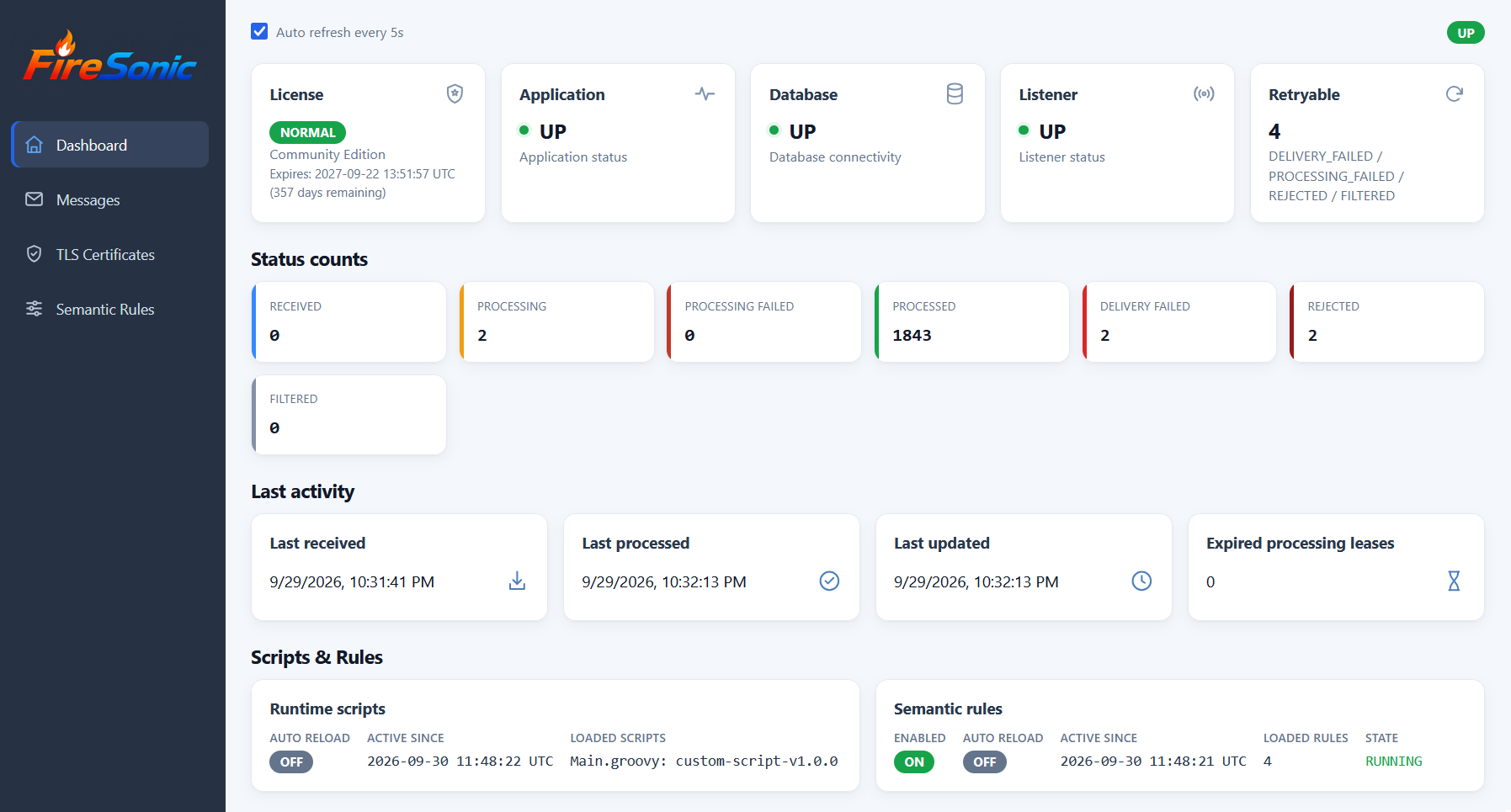
The dashboard summarizes the state of the running platform. Operators can review license state, application/database/listener health, retryable messages, processing status counts, recent activity, and the active script and semantic-rule generations.
Message browser
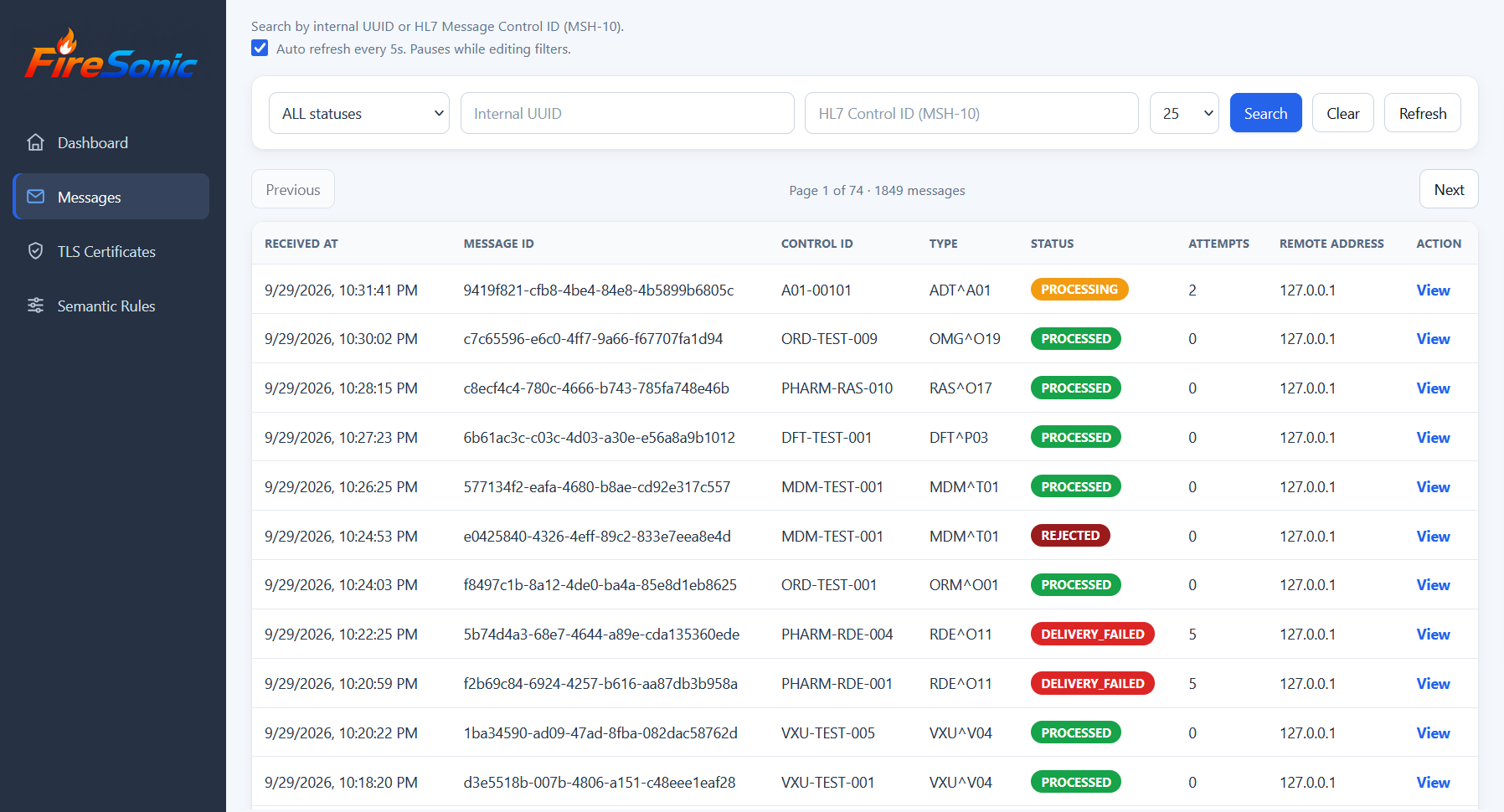
The Messages view provides operational search and filtering across persisted message history. Messages can be filtered by status and searched by the internal UUID or HL7 Message Control ID (MSH-10). The list also exposes message type, processing status, attempt count, remote address, and the link to detailed diagnostics.
Message details and diagnostics
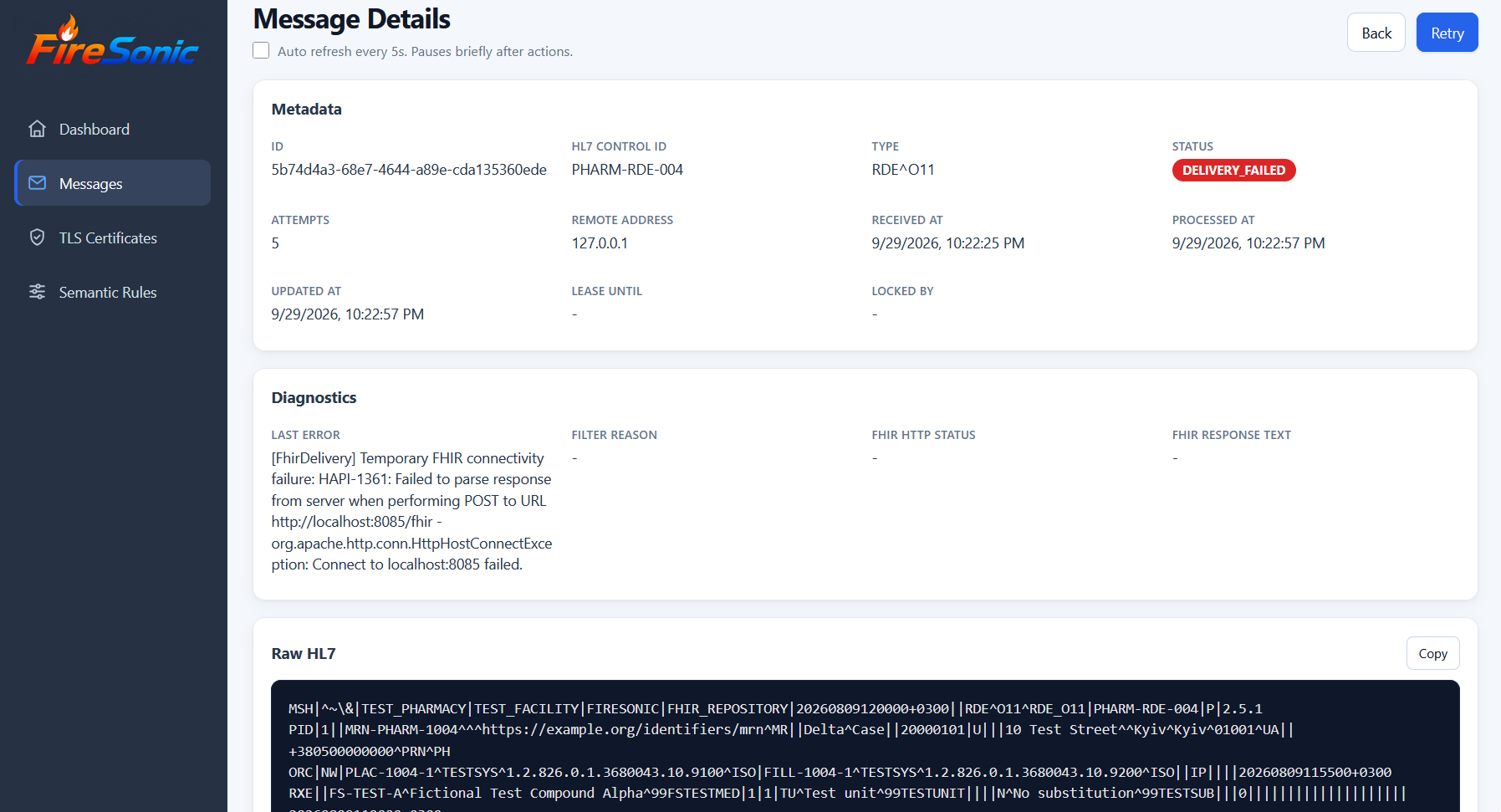
The detail view brings together message metadata, processing state, failure diagnostics, downstream FHIR response information, and the original HL7 payload. This is the primary view for investigating PROCESSING_FAILED, DELIVERY_FAILED, and REJECTED messages before retry.
Retry operations
| Capability | Behavior |
|---|---|
| Single retry | Retry one eligible failed message from its detail view after the underlying problem is corrected. |
| Batch retry Commercial | Select and retry multiple eligible failed messages in one administrative operation. |
Retry does not hide the original failure. Operators should inspect the diagnostic information, correct the underlying cause, and then retry the message.
TLS Certificates
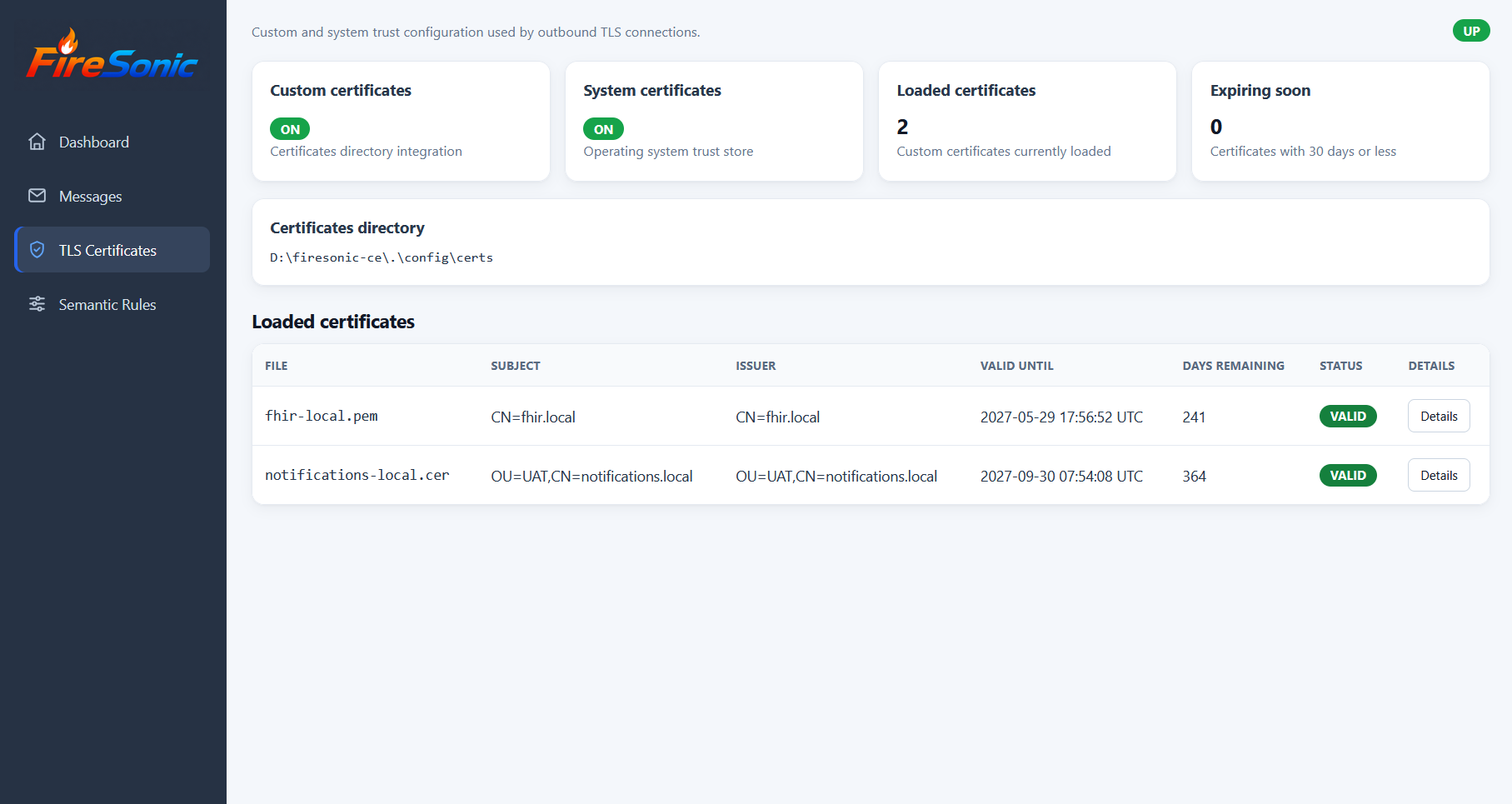
The TLS Certificates view exposes the active outbound trust configuration, configured certificate directory, loaded custom certificates, validity period, and certificates approaching expiration. It complements the TLS configuration documented under Platform Configuration and .
Semantic Rules
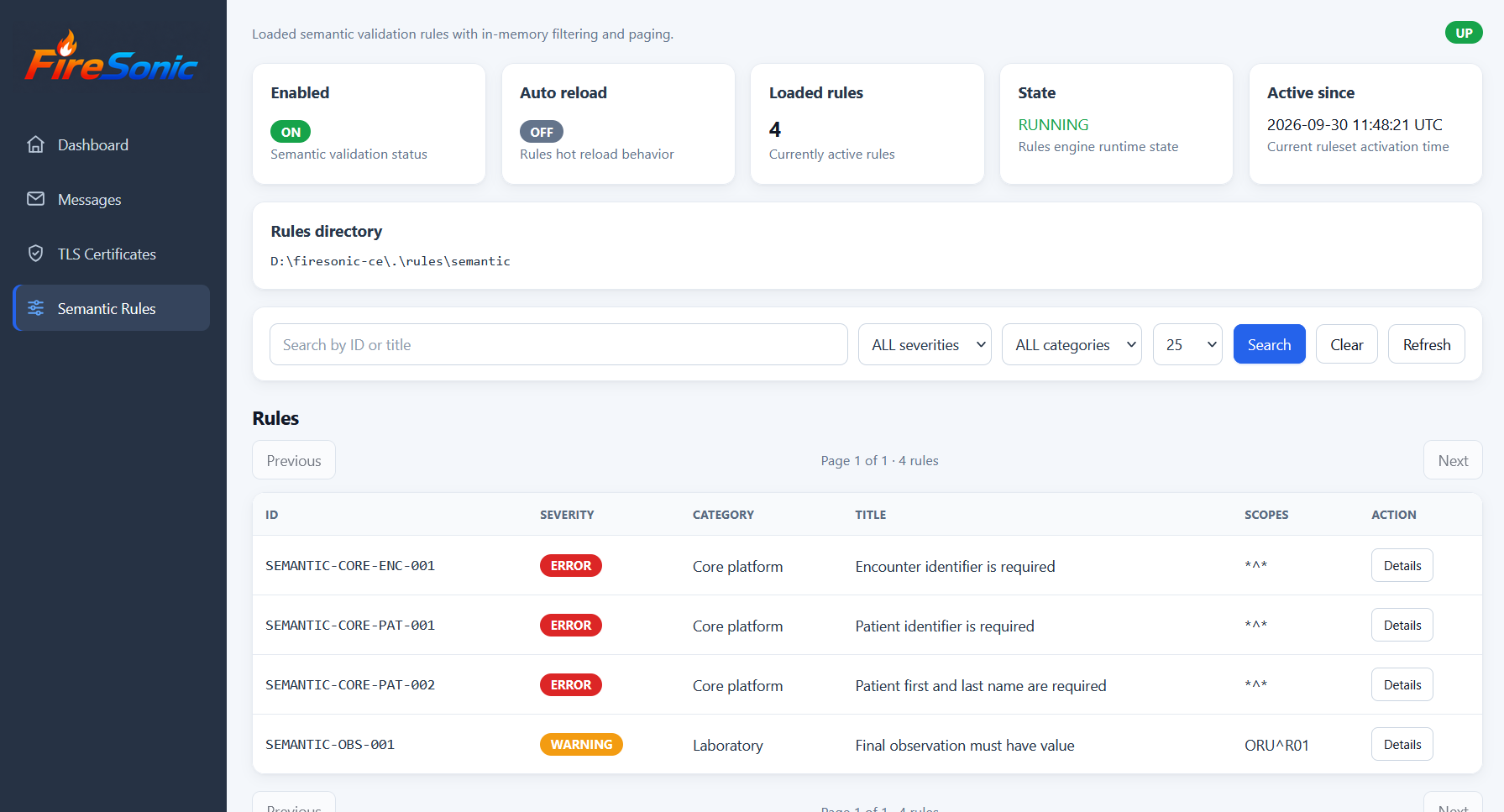
The Semantic Rules view shows whether semantic validation is enabled, the active ruleset state, loaded rule count, activation time, and the configured rules directory. Operators can search and filter rules by severity and category and inspect rule scope and details.
Access and security
http://localhost:8181/adminThe Administration Console is protected by the management authentication settings in application.properties. Change the default credentials and restrict management access to trusted networks.
Protect the Administration Console with authentication, HTTPS/TLS termination at a reverse proxy such as NGINX, firewall or network restrictions, and secure remote administration practices.